A Week of Outages: What the Microsoft Outage and FAA Ground Stop Teach About Resilience
Two separate infrastructure disruptions exposed the same business weakness: organizations often depend on systems they have not mapped, tested or given a workable fallback.
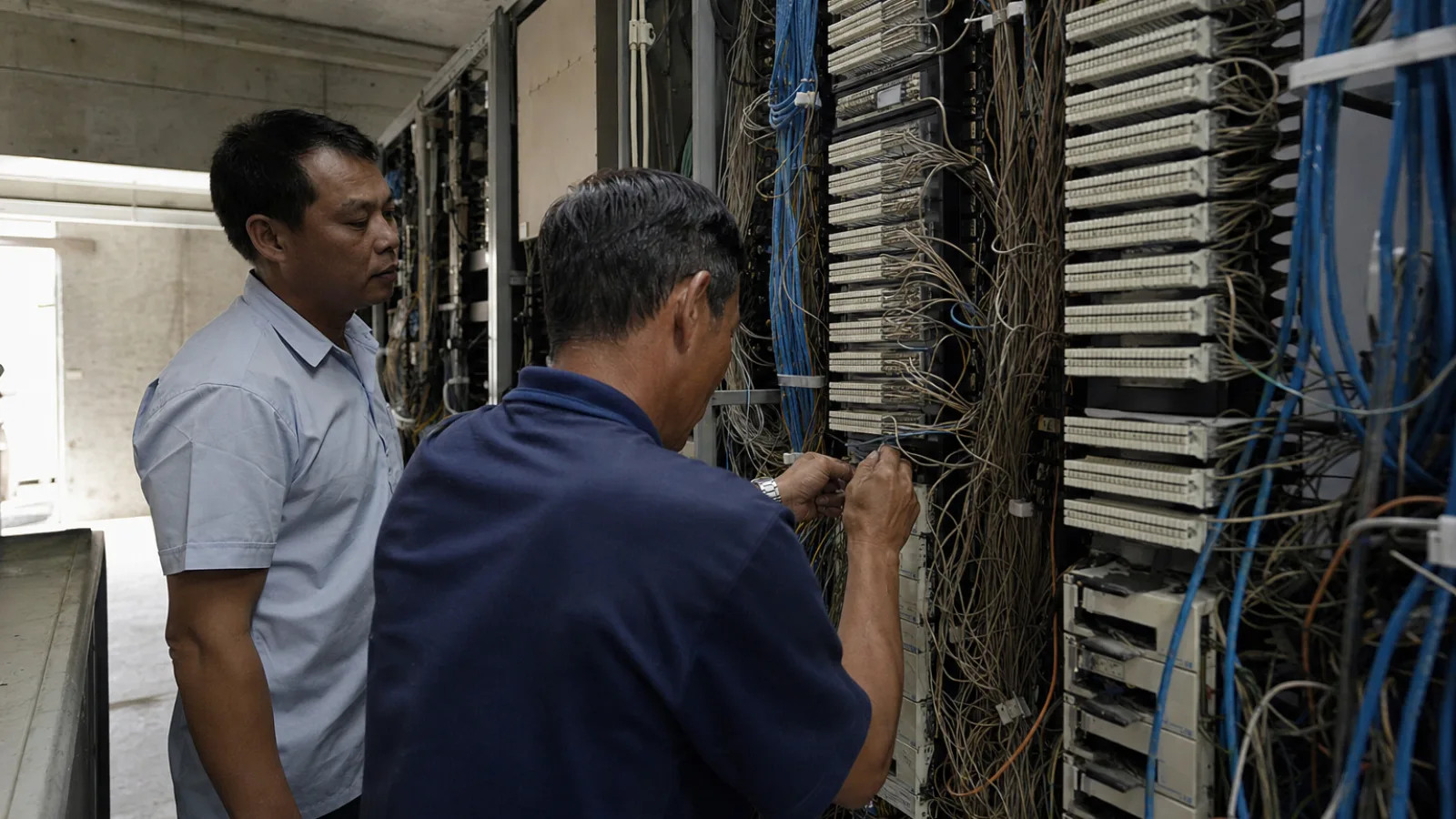
Two major disruptions brought a familiar business risk into sharp focus: essential services can fail even when the affected organization is not the one operating the failed equipment.
In one incident, Microsoft said its services had been restored after an outage that affected communications and operations at government services, hospitals and police departments in multiple countries. Separately, a U.S. Federal Aviation Administration ground stop disrupted air travel, with more than 10,000 flights delayed or canceled according to the official figures cited for that incident. Microsoft said it had no indication that its services were involved in the aviation disruption. The Trump administration attributed that event to work repairing old copper wiring.
These were separate incidents and should not be treated as one technical failure. Their business lesson, however, is closely related: resilience depends less on the absence of outages than on whether an organization can continue operating when a critical dependency becomes unavailable.
What the Microsoft outage and FAA ground stop have in common
A modern business may rely on cloud identity, email, voice services, internet connectivity, payment processing, building access controls, scheduling platforms and specialist software. Those services can be highly capable while still creating concentration risk. If a company has only one practical route to communicate with staff, only one identity provider for every application, or only one network carrier into a building, that arrangement may function as a single point of failure.
A single point of failure is a component or dependency whose loss can stop a critical process. It does not have to be a server. It may be a cloud platform, a telecom circuit, a software administrator account, a data format, a key supplier or a person who alone knows how to restore a system.
The two incidents also demonstrate the difference between technical recovery and business recovery. A provider may restore its service, but a customer can still face delayed work, lost transactions, confused staff or an incomplete backlog. A business continuity plan must therefore define what employees do while a service is unavailable, not simply identify the vendor's recovery process.
What the Microsoft outage teaches about business continuity
Microsoft's statement that its services were restored addresses the provider's service condition. It does not answer several questions for a customer: Which internal processes stopped? Which records were created during the outage? How were urgent decisions approved? Could staff authenticate to a fallback system? Were customers given an alternative contact route?
Organizations should separate three layers of dependency:
- Access: identity, passwords, multifactor authentication, devices and network connectivity.
- Work: applications, files, databases, project records and specialist tools.
- Coordination: telephones, emergency contacts, status updates, escalation routes and decision authority.
Many continuity plans document the second layer and overlook the first and third. A backup copy of a project file is not useful if nobody can sign in to retrieve it. A recovery platform is not enough if the team has no agreed way to announce that it is available.
Cloud services also require a more precise backup discussion. Replication is not automatically backup. A replica may reproduce accidental deletion, corrupted data or an unwanted change. A practical recovery design should include independent copies, retention rules, access controls and a tested restoration procedure. The copy should be reachable through a separate recovery path when that is justified by the business risk.
For small businesses, the goal is not to duplicate every system at enterprise scale. It is to identify the few functions that keep money moving, people safe and customers informed. A construction company, for example, may prioritize payroll, project drawings, contract records, site contacts, procurement and safety documentation. A property manager may prioritize tenant communications, work orders, access credentials and payment records.
What the FAA ground stop teaches about dependency mapping
The FAA ground stop was a different event. It affected aviation operations, while Microsoft said it had no indication that its services were involved. The Trump administration attributed the disruption to repair of old copper wiring. That attribution should not be converted into a broader claim that cloud computing caused the aviation disruption.
The useful lesson is about dependency mapping. Critical operations often depend on physical infrastructure that is easy to overlook because it sits outside the organization's immediate control. In aviation, communications and air traffic operations can depend on telecom circuits, switching equipment, power, maintenance access and carefully controlled procedures. In other industries, comparable dependencies may include a carrier's last-mile connection, a building's electrical service, a cellular network or a landlord's access-control system.
Businesses should ask not only, “Which application do we use?” but also, “What has to work underneath it?” For each critical service, record the provider, physical path where known, power dependency, network dependency, authentication method, support contact and manual alternative. This exercise often reveals that two supposedly independent systems share the same building, carrier, cloud region or administrator.
Redundancy is valuable only when it is genuinely independent. Two internet circuits from different brands may still use the same local fiber route. Two applications may depend on the same identity service. Two data centers may share a power substation. The appropriate level of separation depends on the consequence of failure, but the dependency should at least be visible.
A practical business continuity plan template
The following compact template can be used as a starting point for a business continuity plan. It should be completed with the people who perform the work, not only by an IT team.
1. Critical systems and processes list
| Business function | Primary system or provider | Dependencies | Manual fallback | Owner |
|---|---|---|---|---|
| Customer and emergency communications | Email, phone, messaging platform | Identity, internet, mobile network | Printed call tree, alternate email, SMS or voice calls | Named manager |
| Financial operations | Banking, accounting, payroll | Authentication, payment network, source records | Approved payment queue and offline transaction log | Finance lead |
| Operations or project delivery | Scheduling, files, drawings, work orders | Cloud storage, devices, connectivity | Locally available critical documents and manual schedule | Operations lead |
| Safety and site control | Access control, incident reporting, alerting | Power, telecom, facilities systems | Physical sign-in, radios, posted emergency contacts | Site or facilities lead |
The list should include the consequence of unavailability. A payroll system may tolerate a short interruption but not an extended loss near payday. A safety communication channel may require immediate fallback. Ranking systems by impact prevents limited recovery resources from being spent on low-priority applications.
2. Fallback communications
Document at least two communication routes that do not rely on the same failure. Store the emergency contact list in a location available when the normal collaboration suite is unavailable. Keep a controlled offline copy for managers and critical sites, and define who can issue an official status message.
A fallback channel also needs rules. Specify how staff authenticate an emergency message, how often updates are issued, what information must not be shared, and how the organization confirms that normal service has returned. An unmanaged group chat can spread confusion as quickly as it spreads information.
3. Recovery targets
For every important process, set two targets:
- Recovery time objective (RTO): the maximum acceptable time before the process is usable again.
- Recovery point objective (RPO): the maximum acceptable amount of data that may be lost, expressed as a period of time.
These are business decisions, not just technical settings. If the RTO for urgent customer communication is 30 minutes, a plan that depends on a vendor response with no alternative is incomplete. If the RPO for project records is four hours, backups and synchronization must be designed and tested against that requirement.
Recovery targets should be realistic. A small company may choose a longer RTO for archived records and a shorter one for safety, payroll or customer-facing functions. The tradeoff should be documented so that management understands the cost of faster recovery.
For a useful reference on contingency planning structure and recovery considerations, consult the National Institute of Standards and Technology's contingency planning guidance.
One-page outage checklist
This checklist is designed for the first hours of an outage. It should be printed or stored outside the primary collaboration platform.
- Confirm the symptom. Record what is unavailable, when it began, which locations are affected and whether the issue is local, regional or provider-wide.
- Protect people and physical operations. Check safety systems, site access, alarms, critical equipment and any process that could create immediate harm.
- Open an incident record. Assign an incident owner, time-stamp decisions and preserve provider notices, error messages and relevant logs.
- Use the approved fallback channel. Notify staff, customers, suppliers or tenants with a short factual update and the next scheduled update time.
- Stop avoidable changes. Pause deployments, configuration changes and nonessential transactions until the scope is understood.
- Activate manual procedures. Use the offline contact list, transaction log, paper sign-in process or locally stored critical documents identified in the continuity plan.
- Check dependencies. Test power, connectivity, authentication, devices, telecom services and third-party suppliers before assuming the primary application is the only problem.
- Escalate based on impact. Contact the provider and internal leadership using documented routes. Do not let every employee open separate, conflicting recovery actions.
- Track business effects. Record missed deadlines, delayed payments, unprocessed orders, safety concerns, data changes and customer commitments.
- Restore carefully. Confirm service stability, reconcile manual records, check for duplicate transactions and verify access before declaring recovery.
- Review within a defined period. Identify the failed assumption, update the dependency map and test the revised fallback procedure.
Resilience is a management decision
Outages expose technical weaknesses, but the most important decisions are organizational. Who may switch to manual processing? Which customers receive priority? How much duplicate infrastructure is affordable? Who can approve an emergency purchase or service change? If those questions are left unanswered, a technically recoverable incident can become a prolonged business interruption.
The Microsoft outage and FAA ground stop should therefore be treated as separate events with a shared warning. Do not assume that a major provider, carrier or public agency will remove the need for your own continuity plan. Map the dependencies, define recovery targets, maintain an independent communication route and rehearse the first hour of failure. Resilience begins when the organization can still make sound decisions after its normal systems stop making that easy.